FormulaFlash 1.0.9.0 Release Adds New SIM2K and E-Series ECUs
FormulaFlash ECU TCU programmer software released to V1.0.9.0 on Dec. 18th, 2025.
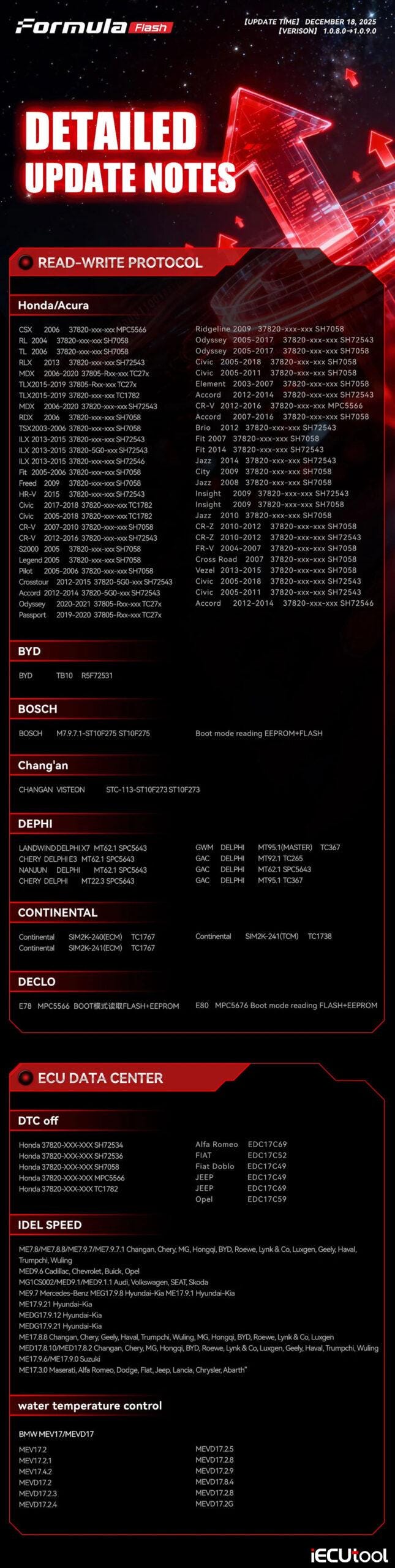
READ-WRITE PROTOCOL
BYD BYD TB10 R5F72531
BOSCH BOSCH M7.9.7.1-ST10F275 ST10F275 Boot mode reading EEPROM+FLASH
Chang’an CHANGAN VISTEON STC-113-ST10F273 ST10F273
DEPHI LANDWIND DELPHI X7 MT62.1 SPC5643
GWM DELPHI MT95.1(MASTER) TC367
CHERY DELPHI E3 MT62.1 SPC5643
GAC DELPHI MT92.1 TC265
NANJUN DELPHI MT62.1 SPC5643
GAC DELPHI MT62.1 SPC5643
CHERY DELPHI MT22.3 SPC5643
GAC DELPHI MT95.1 TC367
CONTINENTAL
Continental SIM2K-240(ECM) TC1767
Continental SIM2K-241(TCM) TC1738
Continental SIM2K-241(ECM) TC1767
DECLO E78 MPC5566 BOOT reading FLASH+EEPROM
E80 MPC5676 Boot mode reading FLASH+EEPROM
DTC off
Honda 37820-XXX-XXX SH72534
Honda 37820-XXX-XXX SH72536
Honda
37820-XXX-XXX SH7058
Honda 37820-XXX-XXX MPC5566
Honda 37820-XXX-XXX
TC1782
Alfa Romeo
FIAT
Fiat Doblo
JEEP
JEEP
Opel
EDC17C69
EDC17C52
EDC17C49
EDC17C49
EDC17C69
EDC17C59
—
IDEL SPEED
ME7.8/ME7.8.8/ME7.9.7/ME7.9.7.1 Changan, Chery, MG, Hongqi, BYD, Roewe, Lynk
& Co, Luxgen, Geely, Haval, Trumpchi, Wuling
MED9.6 Cadillac, Chevrolet,
Buick, Opel
MG1CS002/MED9.1/MED9.1.1 Audi, Volkswagen, SEAT, Skoda
ME9.7
Mercedes-Benz MEG17.9.8 Hyundai-Kia ME17.9.1 Hyundai-Kia
ME17.9.21
Hyundai-Kia
MEDG17.9.12 Hyundai-Kia
MEDG17.9.21 Hyundai-Kia
ME17.8.8
Changan, Chery, Geely, Haval, Trumpchi, Wuling, MG, Hongqi, BYD, Roewe, Lynk
& Co, Luxgen
MED17.8.10/MED17.8.2 Changan, Chery, MG, Hongqi, BYD, Roewe,
Lynk & Co, Luxgen, Geely, Haval, Trumpchi, Wuling
ME17.9.6/ME17.9.0
Suzuki
ME17.3.0 Maserati, Alfa Romeo, Dodge, Fiat, Jeep, Lancia, Chrysler,
Abarth"
—
water temperature control
BMW
MEV17/MEVD17
MEV17.2
MEV17.2.1
MEV17.4.2
MEVD17.2
MEVD17.2.3
MEVD17.2.4
MEVD17.2.5
MEVD17.2.8
MEVD17.2.9
MEVD17.8.4
MEVD17.2.8
MEVD17.2G
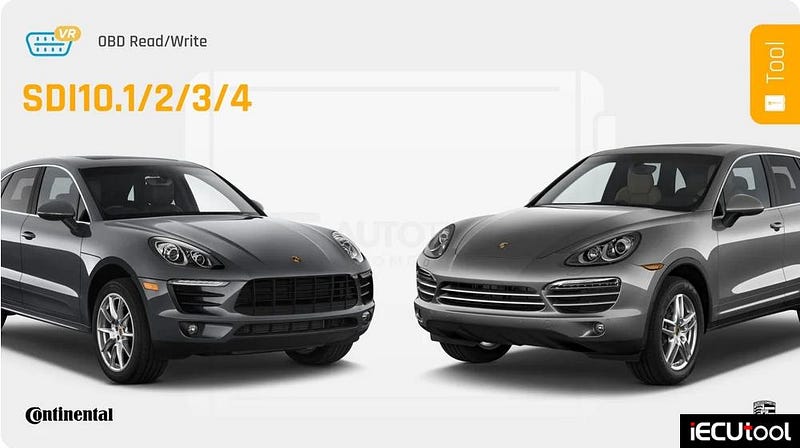
Autotuner OBD VR Update for Porsche SDI10.x ECUs
Get ready to tune the best of Stuttgart directly via the diagnostic port! Autotuner is thrilled to announce the release of the complete Porsche SDI10.x family on your Tool.
You can now work on Porsche Macan, Cayenne, and Panamera equipped with SDI10.1, SDI10.2, SDI10.3, and SDI10.4 ECUs.
Method: These protocols are available in OBD Virtual Read (VR). No need to remove or open the ECU. Simply connect, identify the software, and our server will provide the original file instantly!
It’s fast, safe, and available right now.
Key Features:
Type: Engine Control Unit (ECU)
Mode: OBD VR
Readout:
Calibration
MCU: TC1797
Write time with patch: 9min 30sec
Write time
after patch: 2min
Checksums correction
Compatibility List*
Porsche Models:
Cayenne — 2014 / Macan — 2013 / Panamera — 2013
Porsche Engines:
3.0 T / 3.0 T GTS / 3.6T / 3.6T GTS / 3.6T S / 3.6T
Performance / 4.8 V8 Turbo / 4.8 V8 Turbo S
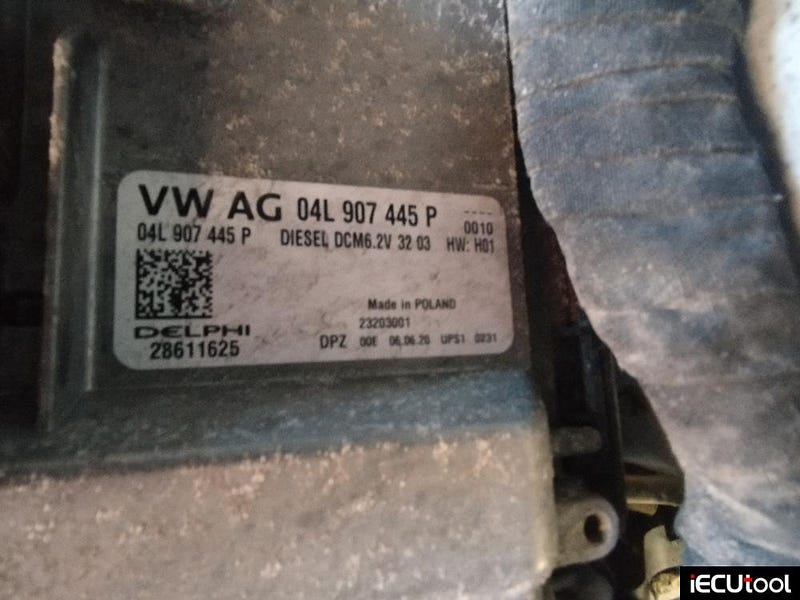
Fix Foxflash No VR File for Crafter 2021 DCM6.2V
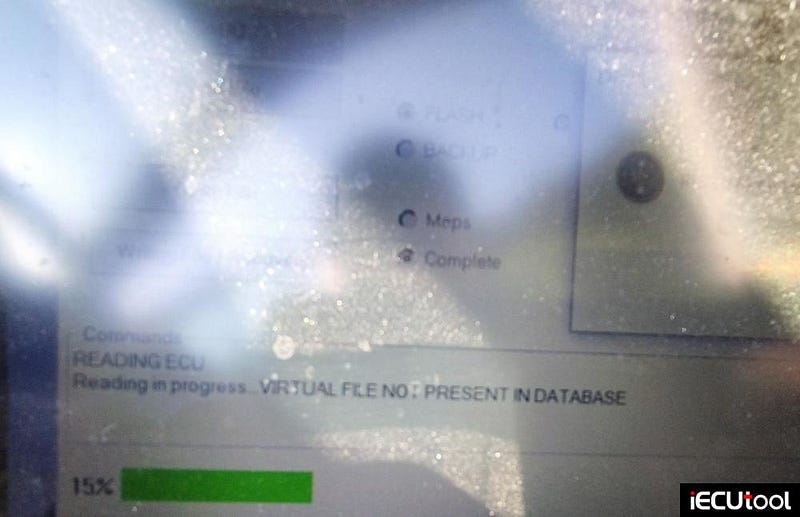
Problem: VW Crafter 2021 dcm6.2v no go with foxflash. Virtual read obd2 not in database.
Solution:
On some models virtual file was not in database and solution on this is to upgrade or downgrade software version. Done it by ODIS Engineering software.
Or read it in boot mode with other programmers.
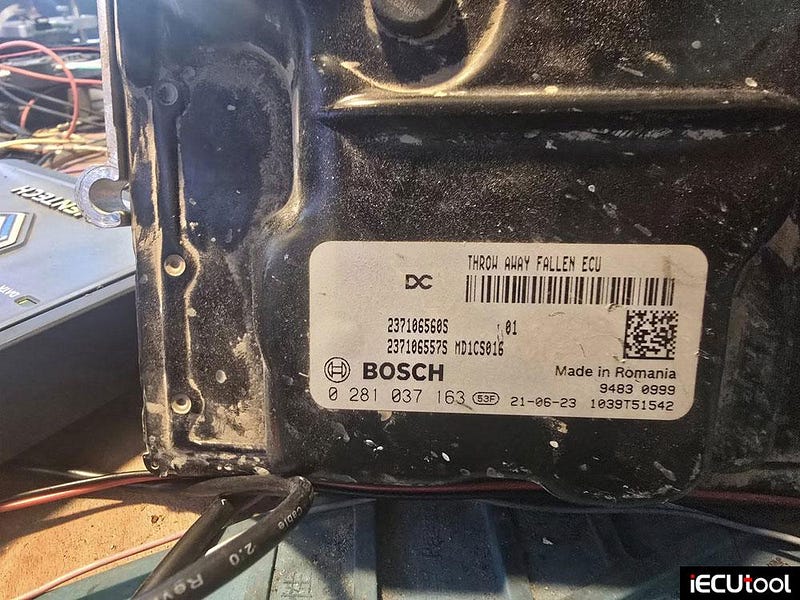
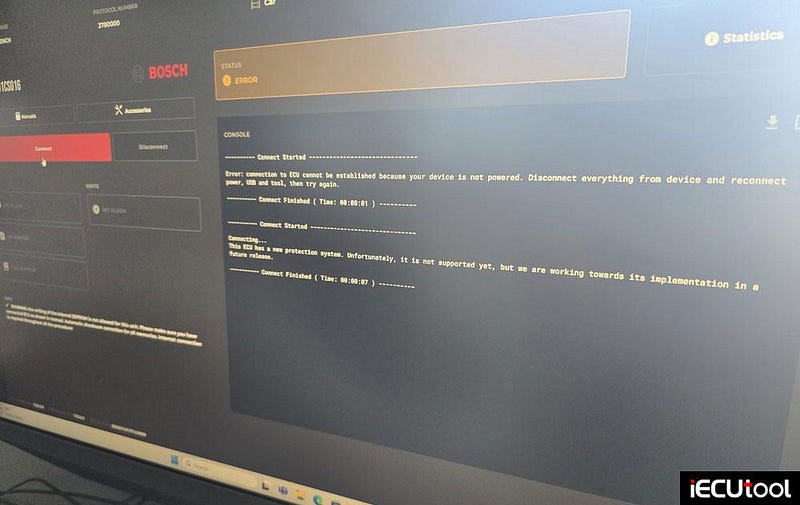
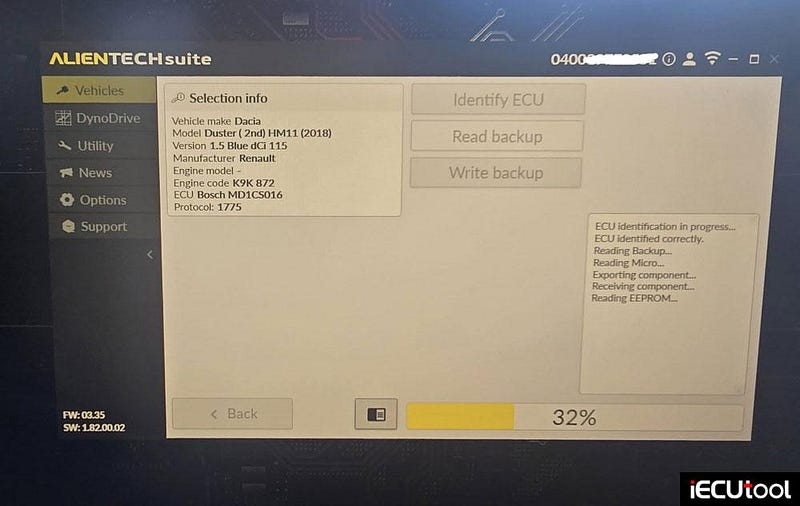
Reading Dacia Duster 2021 MD1CS016 ECU With KESS3
Dacia Duster 2021. Flex cannot read, kess3 yes.
Bosch MD1CS016 ECU.
Read micro =
16mb.
AutoTuner Update Supports KTM KTKS and KTKZ ECUs
You seemed to love the addition of the first KTMs to AutoTuner, so we decided not to stop there!
Starting now, you can benefit from the KTM KTKS/KTKZ OBD NR
protocol on your Tool.
As a reminder, NR stands for "Normal
Read". This gives you access to the real content of the ECU on 14
different models from KTM, GasGas, and Husqvarna.
Share your
experience with motorcycle tuning and let us know what else you need!
Key Features:
Type: Engine Control Unit (ECU).
Mode:
OBD NR.
Readout: Software + Calibration.
MCU: RH850.
Read time: 10min
30sec
Write time: 6min
Checksums correction.
Compatibility List*:
GasGas Model: ES 700–2022
GasGas
Engine: 700cc
Husqvarna Models: 701–2021 / 701 Supermoto — 2016 / 701
Supermoto — 2020
Husqvarna Engine: 701cc (690 platform)
KTM Models: 690
Enduro R — 2021 / 690 SMC R — 2021 / Adventure — 2009 / Super Adventure — 2015 /
1290 Super Adventure R — 2021 / 1290 Super Adventure S — 2021 / 1290 Super Duke
GT — 2021 / 1290 Super Duke R — 2020 / 1290 Super Duke RR — 2020 / 1300 Brabus
R — 2020
KTM Engines: 690cc / 1290cc / 1300cc
*The list of motorcycles may
evolve over time.
