iecutool

Automotive ECU Tools

iecutool

Automotive ECU Tools

How to Read and Write PSA SID807 ECU using Flex Tool

We’ll walk through the process of reading and writing the SID 807 ECU in a 2011 Citroen C4 1.6L Diesel (110 HP / 82 kW) using the FLEX programming tool. This demonstration covers OBD-based tuning, including how to disable Start-Stop functionality — a common request from vehicle owners.

Tools & Preparations

FLEX Programming Tool (OBD connection)
Battery Maintainer (recommended for stable voltage)
Citroen C4 SID 807 ECU (2011 model in this case)

Note:

  • Always verify the ECU hardware number before proceeding.
  • If unsure, the FLEX tool can auto-detect the correct ECU type.

Step-by-Step Procedure

1. Identify the ECU

  • The FLEX tool allows you to manually input the vehicle details (Citroen C4, 1.6 Diesel, SID 807) or automatically detect the ECU.
  • If the wrong ECU is selected, the tool won’t establish a connection, preventing accidental errors.


Flex Read and Write PSA SID807 ECU via OBD

2. Read the ECU via OBD

  • Connect the FLEX tool to the OBD port (which, in French cars, can be tricky to locate — check under dash panels!).
  • Select "Read Virtual Map" — the tool downloads the current ECU data from its server.
  • Save a backup before making any modifications.


Flex Read and Write PSA SID807 ECU via OBD

3. Modify & Write the Tuning File

  • In this case, the goal was to disable Start-Stop.
  • The modified file is uploaded back to the ECU via OBD (no bench mode or boot mode required).
  • The FLEX tool performs checks and corrections automatically before writing.


Flex Read and Write PSA SID807 ECU via OBD

4. Complete the Process

  • After writing, the tool runs a coding procedure.
  • Disconnect the FLEX tool, start the car, and verify that the Start-Stop function is now deactivated.

Key Observations

Faster than OBD-only tools — The FLEX tool streamlines the process with server-based virtual maps.

No need for boot mode — Avoids the complexity of direct ECU reading in many cases.
Stable & Reliable — No reported issues with SID 807 ECU writing.

www.iecutool.eu

Easy VAG DQ381 Gearbox TCU Clone Using FormulaFlash

FormulaFlash new user review:

VAG DQ381 geabrox tcu cloning is done with FormulaFlash programmer.
Either do it on car or bench.

1).
Do it on car.
No need to remove the mecatronic.
Cloning all ok.


FormulaFlash Clone VAG DQ381 Gearbox TCU

2). on bench.
Cloning VW 2018- DQ381
All good on bench.


FormulaFlash Clone VAG DQ381 Gearbox TCU

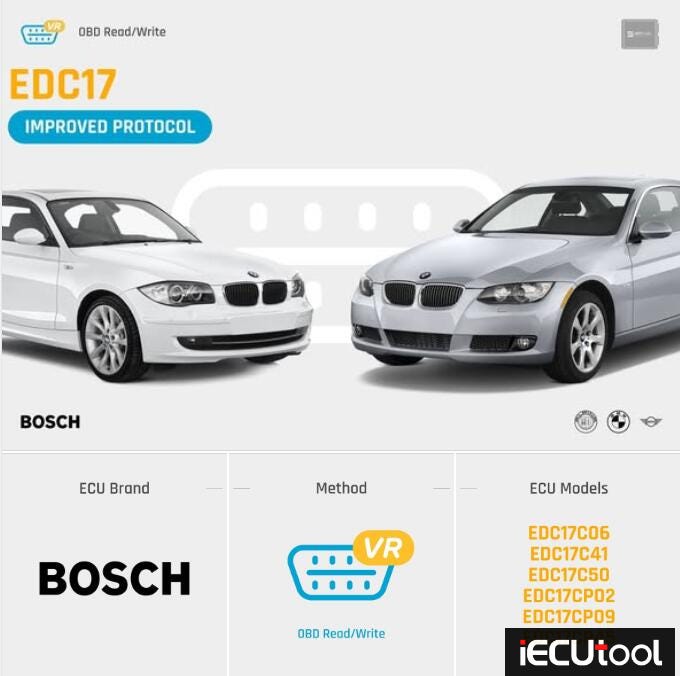
BMW EDC17CP09 ECU Read Tool selection: OBDSTAR, Autel or X-PROG3?

In this blog, we’ll break down a real-world attempt to read this Bosch EDC17CP09 (DDE) using different tools, the challenges faced, and the eventual solutions that worked.


Read EDC17CP09 ECU with OBDSTAR, Autel or X-prog3

Tools Tested for Reading BMW EDC17CP09

1. OBDStar DC706

  • Issue: The tool suggested installing a 120 Ohm resistor but still couldn’t establish a connection.
  • Solution: Later discovered a missing ignition power pin in the wiring setup — once corrected, the read worked.
  • Lesson: Always double-check pinouts and wiring diagrams!

Read EDC17CP09 ECU with OBDSTAR, Autel or X-prog3

2. Autel IM608 (Partial Success)

  • Method: Used the EEPROM section with direct bench connection.
  • Successfully Read:
  • ISN (Immobilizer Security Number) — Useful for module transfers.
  • Flash files — Required soldering a boot pin and using the XP400 Pro programmer.
  • Limitation: Couldn’t extract full EEPROM files via OBD alone.

Read EDC17CP09 ECU with OBDSTAR, Autel or X-prog3


Read EDC17CP09 ECU with OBDSTAR, Autel or X-prog3

3. X-prog3/ Launch X-431 Tablet ( — Success!)

  • Method: Used bench mode with a custom harness.
  • Successfully Read:
  • Full EEPROM & Flash files — Required direct chip access.
  • File Transfer Issue: Couldn’t directly copy files to USB — had to email them via Gmail from the tablet.

Read EDC17CP09 ECU with OBDSTAR, Autel or X-prog3


CG FC200 Bench Mileage Correction for VW DQ200 0AM

CG FC200 supports VAG DQ200, VL381, DQ250, DL381 gearbox mileage correction on bench. Here we will show how to correct mileage for DQ200 (0AM) gearbox.


CG FC200 DQ200 Gearbox Mileage Correction Guide

Select VAG Temic DQ200Dxx TC1766 gearbox in software. Check wiring diagram and connect gearbox with FC200.

Connect CAN-L, CAN-H, 2x12V and GND cables.


CG FC200 DQ200 Gearbox Mileage Correction Guide

Identify gearbox.

The mileage data is stored in EXT Dflash.

So we reads EXT Dflash data only.

Read and save ext Dflash data.


CG FC200 DQ200 Gearbox Mileage Correction Guide

Go back to FC200 main menu. Select Data Processing function- VW gearbox mileage correction- DQ200 TC1766.


CG FC200 DQ200 Gearbox Mileage Correction Guide

Upload ext dflash data just saved.


CG FC200 DQ200 Gearbox Mileage Correction Guide

Select mileage correction.

FC200 will detect current mileage. Enter the correct mileage.


CG FC200 DQ200 Gearbox Mileage Correction Guide

Save new mileage data.


CG FC200 DQ200 Gearbox Mileage Correction Guide

Go back to DQ200 menu.

Select Write EXT Dflash.

Upload new ext Dflash data.


CG FC200 DQ200 Gearbox Mileage Correction Guide

Correct checksum for flash and write data successfully.


CG FC200 DQ200 Gearbox Mileage Correction Guide

Disconnect gearbox and install it back to vehcle.

ww.iecutool.eu

Best ECU Tuning Tool: Flex vs KESS3 vs Autotuner vs Dfox

Here’s a comparison of the Magic Motorsport Flex, Alientech KESS3, Autotuner, and DFOX ECU tuning tools based on their features, capabilities, and use cases. This breakdown aims to help you understand their strengths and weaknesses for ECU tuning and remapping tasks.


Autotuner vs KESS3 vs Flex vs Dfox

1. Magic Motorsport Flex

  • Overview: Developed by Magic Motorsport, an Italian company, Flex is a versatile tool designed for both ECU and TCU (transmission control unit) programming. It’s known for its flexibility and broad vehicle coverage.
  • Modes: Supports OBD, Bench, and Boot tuning modes, making it adaptable to various tuning scenarios.
  • Vehicle Coverage: Extensive, covering cars, trucks, bikes, tractors, and more. It excels particularly with TCU tuning (e.g., gearbox remapping), which sets it apart from many competitors.
  • Performance: Fast read/write speeds (e.g., 2–3 minutes for reading, depending on the ECU). It’s praised for stability and reliability, especially in newer vehicles.
  • Pricing: Starts around €5,800+VAT for a master version. Offers customizable protocol packages, but requires a subscription for updates and support.
  • Support: Highly regarded for excellent customer service, with a robust helpdesk and a 5-year warranty. Support is primarily in English.

Pros:

  • Superior TCU tuning capabilities.
  • Can upgrade/downgrade ECUs and recover bricked units.
  • Intuitive hardware with accessories like the Flexbox for bench work.

Cons:

  • Higher initial cost compared to some competitors.
  • Software interface (FLEX) can have a steeper learning curve.
  • Limited OBD coverage for some older ECUs compared to bench/boot options.

2. KESS3 (Alientech)

  • Overview: KESS3 is the latest evolution from Alientech, replacing KESSv2 and K-TAG. It combines OBD, Bench, and Boot tuning into a single, powerful device.
  • Modes: OBD, Bench, and Boot, with the ability to add protocols as needed.
  • Vehicle Coverage: Broad, including cars, trucks, bikes, boats, and agricultural vehicles. It’s particularly strong with older and newer European models (e.g., VAG, PSA, Toyota).
  • Performance: Features a powerful microprocessor (7x faster than KESSv2), enabling quick read/write operations (e.g., seconds to minutes). Automatic communication line recognition enhances ease of use.
  • Pricing: Starts at €700 for hardware, but protocols are sold separately (e.g., €1,600+ depending on configuration). Annual subscription required for updates.
  • Support: Solid support from Alientech, with a global network. Known for reliability but occasionally criticized for slower response times compared to Magic Motorsport.

Pros:

  • Highly versatile with customizable protocol options.
  • Excellent for OBD tuning across a wide range of vehicles.
  • User-friendly interface with fast operation.

Cons:

  • Subscription costs add up over time.
  • Some users report issues with specific ECUs (e.g., BMW MD1/MG1 via OBD).
  • Less focus on TCU tuning compared to Flex.

3. Autotuner

  • Overview: Launched in 2019, Autotuner is a newer player that gained popularity for its simplicity and coverage of modern vehicles, especially German brands like BMW and Mercedes.
  • Modes: Supports OBD, Bench, and Boot tuning in one compact device.
  • Vehicle Coverage: Strong with newer vehicles (post-2014), particularly German cars. Less comprehensive for older ECUs or non-European brands compared to Flex or KESS3.
  • Performance: Very fast read/write times and intuitive software. It also offers data logging, which is valuable for custom tuning (e.g., Stage 3).
  • Pricing: Around €2,900-€4,400+VAT for a master version, with no annual subscription fees — a significant cost advantage.
  • Support: Mixed reviews; some praise its responsiveness, while others find it lacking or slow to resolve issues.

Pros:

  • No subscription fees, reducing long-term costs.
  • Compact and plug-and-play design.
  • Excellent for modern German vehicles via OBD.

Cons:

  • Limited coverage for older vehicles, trucks, or bikes.
  • Weaker TCU support compared to Flex.
  • Customer support can be inconsistent.

4. DFOX

  • Overview: DFOX is an ECU tuning tool from an Italian manufacturer, often seen as a cost-effective alternative with a focus on specific vehicle types.
  • Modes: Supports OBD, Bench, and Boot tuning, similar to the others.
  • Vehicle Coverage: Decent coverage, particularly for European cars (e.g., BMW, VAG). It’s less broad than Flex or KESS3 but competes well with Autotuner for newer models.
  • Performance: Reliable for supported ECUs, with fast operation. Some users prefer it over others for its stability on certain protocols.
  • Pricing: Typically lower than Flex and KESS3, though exact costs vary by distributor. Often requires a subscription for updates.
  • Support: Generally good, though less documented compared to the bigger brands. Response times can vary.

Pros:

  • Competitive pricing for the features offered.
  • Stable performance on supported ECUs.
  • Good for BMW and VAG tuning.

Cons:

  • Less comprehensive vehicle coverage than Flex or KESS3.
  • Not as well-known or widely supported as competitors.
  • Limited TCU tuning capabilities.

Autotuner vs KESS3 vs Flex vs Dfox

Which Tool Should You Choose?

  • Magic Motorsport Flex: Ideal if you need extensive TCU tuning, broad vehicle coverage (including trucks/tractors), and top-tier support. Best for professionals prioritizing versatility and gearbox work.
  • KESS3: Perfect for tuners wanting a fast, reliable all-in-one tool with strong OBD performance and wide compatibility. Great for those who tune a variety of vehicles and don’t mind subscription costs.
  • Autotuner: Best for newer German vehicles (e.g., BMW, Mercedes) and tuners who value no subscription fees and simplicity. Excellent for small shops or enthusiasts focusing on modern cars.
  • DFOX: A solid budget option for European car tuning, especially BMW/VAG. Good for those starting out or needing a reliable secondary tool.

Ultimately, your choice depends on your target vehicles, budget, and whether you prioritize TCU tuning or long-term cost savings. For maximum coverage, many professionals pair tools (e.g., Flex + KESS3 or Autotuner) to handle all scenarios.

www.iecutool.eu