New CGDI FC200 Update Adds MG1CA811 ECU Support
CGDI FC200 ECU and TCU programmer released to V1.2.7.0 on April 29th, 2025.
FC200 V1.2.7.0
New content:
1. Added the
function of modifying VIN for some ECUs:
(Bosch) BOSCH TC2xx:
MD1CP001, MG1CS003, MD1CP002, MD1CS006, MG1CP002, MG1CS080, MD1CP004 SPC5777,
MD1CP004_ TC298TP,
MD1CS004, MG1CS001, MG1CS002 SPC5777, MG1CS002_ TC298TP,
MG1CS111, MD1CP014, MG1CS008_ TC298TP,
MG1CS016, MG1CS017, MG1CS018,
MG1CS019, MG1CS032, MG1CS026, MG1CS024, MG1CS201, MD1CS001, MG1CA007
(Bosch)
BOSCH TC17xx: EDC17U01, EDC17U05, ME17.5.20, MED17.1.61, EDC17CP74, ME17.7.8,
EDC17CP06, EDC17CP16, DCU17PC42, EDC17CP58,
MED17.6.9, EDC17CP68, EDC17C61,
EDC17C47, ME17.8.31, ME17.8.32, EDC17CP05_ TC1797,
EDC17CP05 TC1796,
ME17.8.3.3, ME17.8.33, ME17.8.5, M17.8.7
(Bosch) BOSCH MPC 5xx: MED9.1,
ME9.0, EDC16CP31, EDC16CP35, EDC16U31, EDC16C2, EDC16C1, EDC16U31, ME9.1.1,
MED9.1.1, MED9.1.2
(Bosch) BOSCH ST10xx: ME7.7.0, ME7.9.9, ME7.1.1, ME7.8.2,
ME7.6.4
(Continental/Siemens) CONTINENTAL/Siemens: SIM271KE, SIM271DE, SDI7,
SDI6.1, SIMOS8.4x, SID208, SID310, EMS3110, EMS2511, EMS24xx,
GPEC3, GPEC2A,
GPEC4, GPEC4LM, GPEC2
(Denso) DENSO: MB279700–9500, MB279700–9811,
MB279700–9801, MB279700–96xx, RF7x, RF8x, 33920–67P0, R2xx, Pxxx, S5xx,
SHxx,
275700_7082, RA6, 4N14, 23740_5Sxxx_Gen2, 23740–5Sxxx_Gen2, 23740–3Nxxx_Gen1,
Subaru SH72531, 112800 SH72531
(GM) GM: E38, E39, E39A, E78, E80, E83, E98,
E84
(Hyundai/Kia) Hyundai/Kia: SIM2K_240_ECU, SIM2K_241_ECU,
SIM2K_240R_ECU
(Mitsubishi) Mitsubishi: E6T6xxxx, E6TAxxxx
(Delphi)
DELPHI: DCM3.7AP, DCM3.5
(Marelli) Marelli: 8TDW
2. Added the
function of repairing "Three readiness monitors not ready" for some
ECUs:
Peugeot/Citroen: MED17.4.2 TC1767, MED17.4.2_ TC1797,
MED17.4.4, MEV17.4, MEVD17.4.4, MEV17.4.2 TC1766, MEV17.4.2_ TC1767
Maserati:
MED17.3.4, MED17.3.5
Smart: ME7.7.0
BMW: ME17.2.1
3. ME17.8.8
added CALID function
4. Dongfanghong EDC17CV54 time
repair
5. Jiangling EDC17C55 mileage
repair
6. Added Volkswagen MG1CA811

How to Solve PADFlash Driver Not Found Error
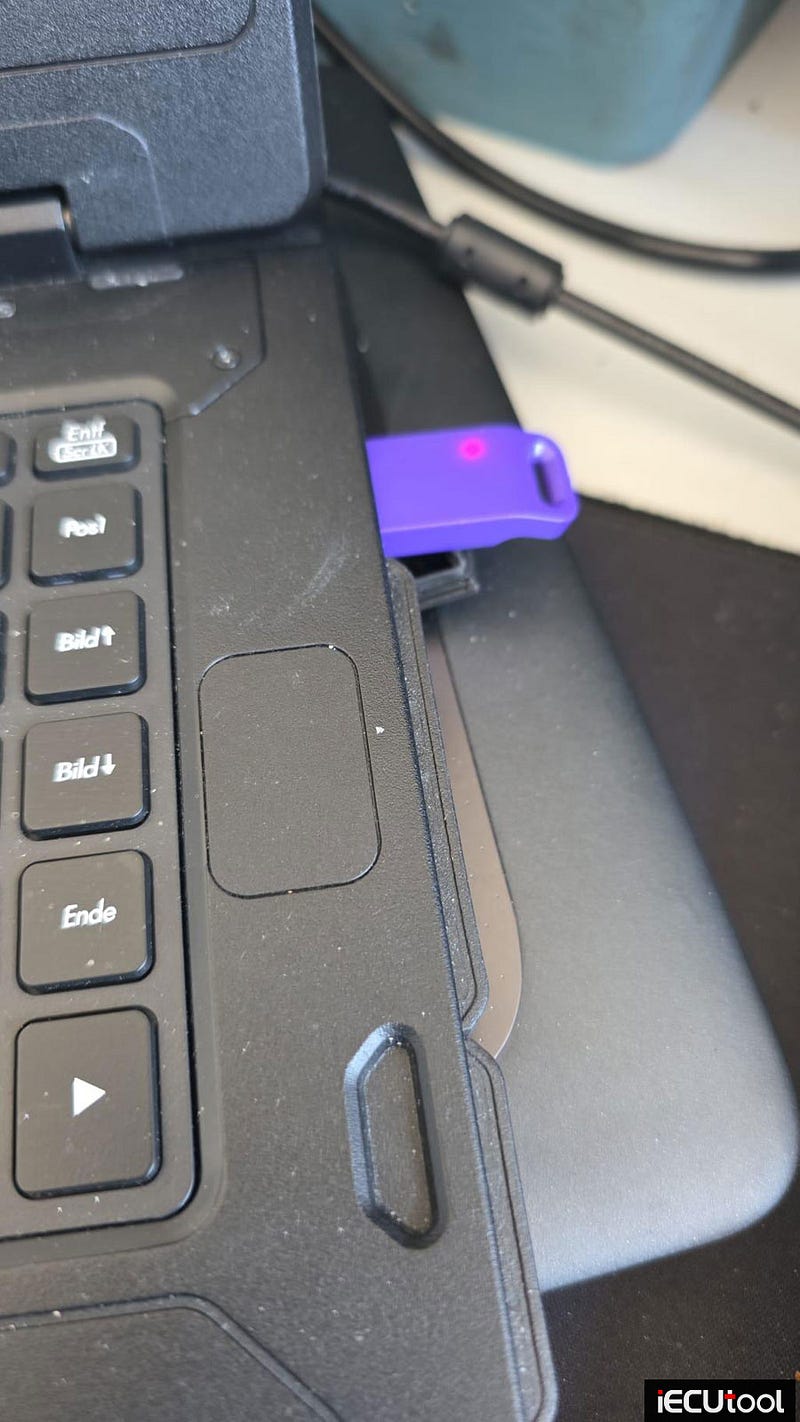
Problem: I failed to run the PADFlash programmer software; it says the driver was not found. I tried to install the driver manually, but the button is gray. The USB dongle was inserted into the laptop. How can I fix it?
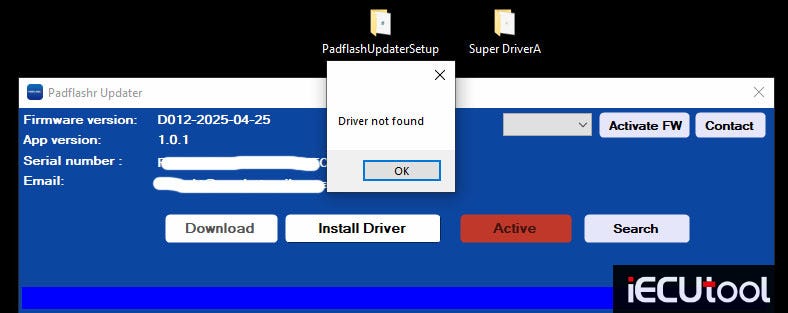
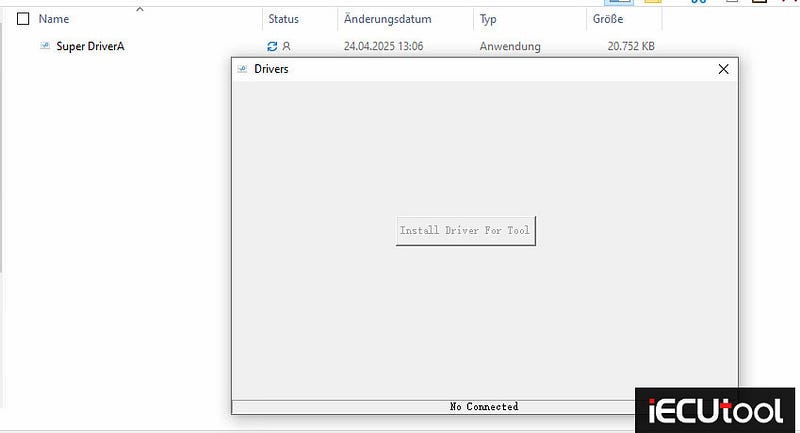
Solution:
This laptop does not have a USB 2.0 port.
There is a USB Hub in the PADFlash package.
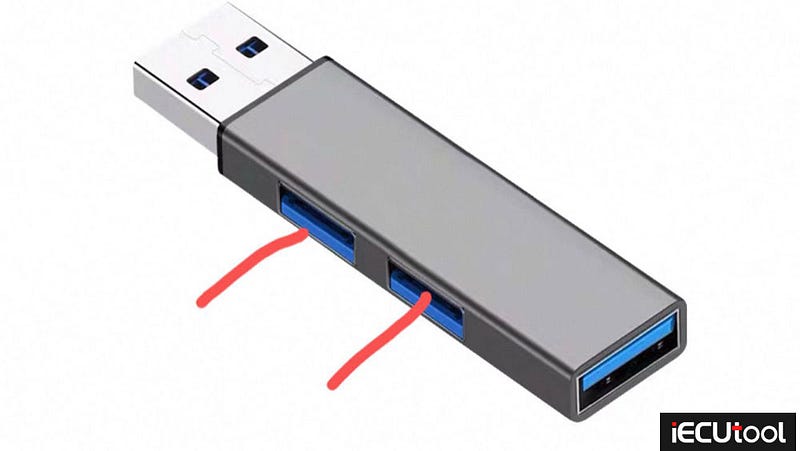
Conncet PADFlash dongle and USB cable to the USB hub as shown below.
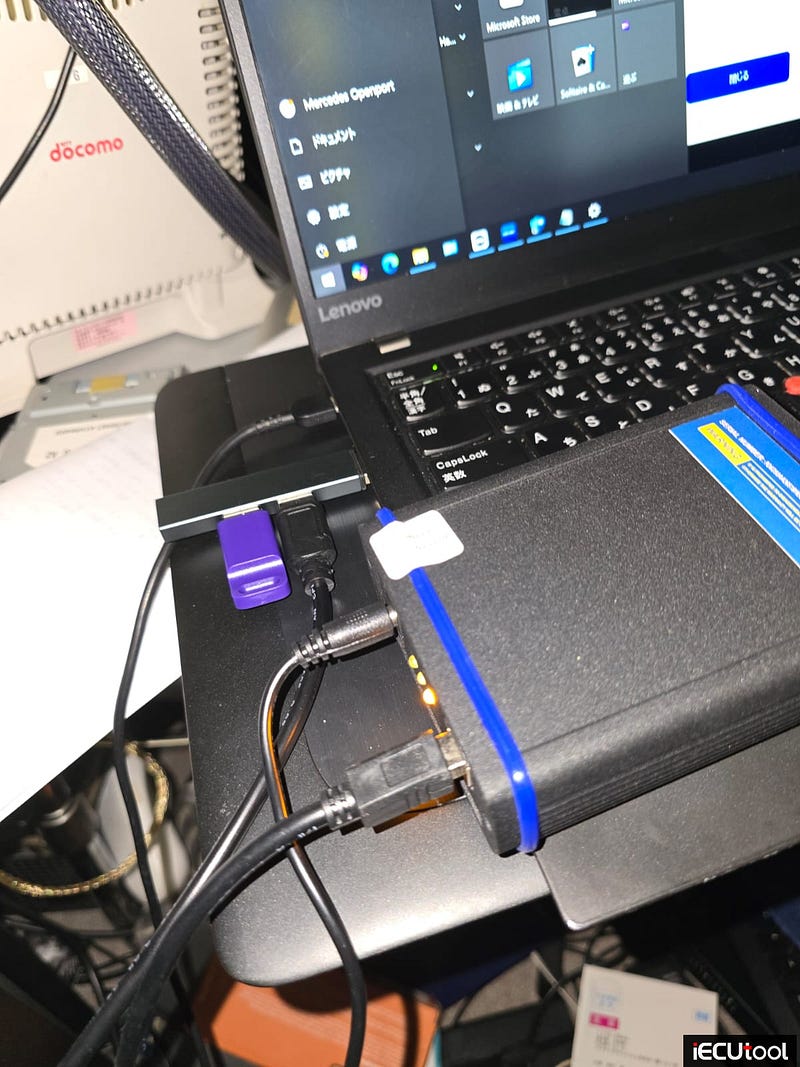
Then install driver again.
Run software and try again.
FormulaFlash Update Adds Hyundai MED17 CS/PIN and GM Stage1
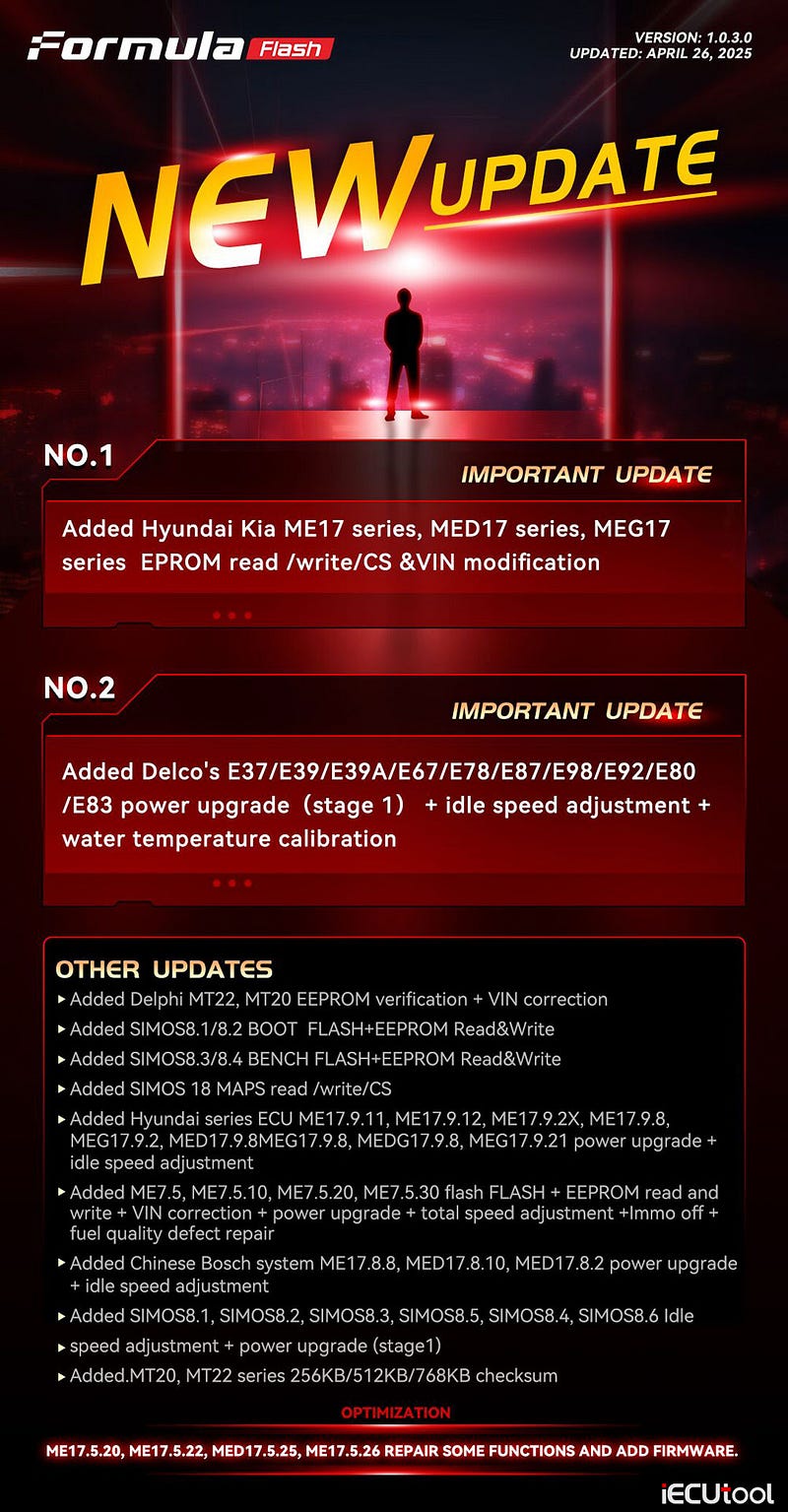
FormulaFlash ECU and TCU programmer released a new software update on April 28th, 2025.
No.1
IMPORTANT UPDATE
Added Hyundai Kia ME17 series, MED17 series, MEG17 series EPROM read /write/CS &VIN modification.
No.2
IMPORTANT UPDATE
Added Delco’s E37/ E39/ E39A/ E67/ E78/ E87/ E98/ E92/ E80 /E83 power upgrade (stage 1) + idle speed adjustment + water temperature calibration.
OTHER UPDATES
- Added Delphi MT22, MT20 EEPROM verification + VIN correction
- Added SIMOS8.1/8.2 BOOT FLASH+EEPROM Read&Write
- Added SIMOS8.3/8.4 BENCH FLASH+EEPROM Read&Write
- Added SIMOS 18 MAPS read /write/CS
- Added Hyundai series ECU ME17.9.11, ME17.9.12, ME17.9.2X, ME17.9.8, MEG17.9.2, MED17.9.8MEG17.9.8, MEDG17.9.8, MEG17.9.21 power upgrade + idle speed adjustment
- Added ME7.5, ME7.5.10, ME7.5.20, ME7.5.30 flash FLASH + EEPROM read and write + VIN correction + power upgrade + total speed adjustment +Immo off + fuel quality defect repair
- Added Chinese Bosch system ME17.8.8, MED17.8.10, MED17.8.2 power upgrade + idle speed adjustment
- Added SIMOS8.1, SIMOS8.2, SIMOS8.3, SIMOS8.5, SIMOS8.4, SIMOS8.6 idle speed adjustment + power upgrade (stage1)
- Added MT20, MT22 series 256KB/512KB/768KB checksum
OPTIMIZATION
ME17.5.20, ME17.5.22, MED17.5.25, ME17.5.26 REPAIR SOME FUNCTIONS AND ADD FIRMWARE.
How to Retrieve PSA SID807EVO Pin Code from Flash Data
As titled, here we will show how to extract pin code for Peugeot Citroen PSA Continental SID807EVO ECU from flash data.
First of all, make a full backup reading of the Continental SID807EVO ECU in boot mode.
Using ktag/kess3, Foxflash, Xhorse Multi Prog, Flex or other programmers in boot.
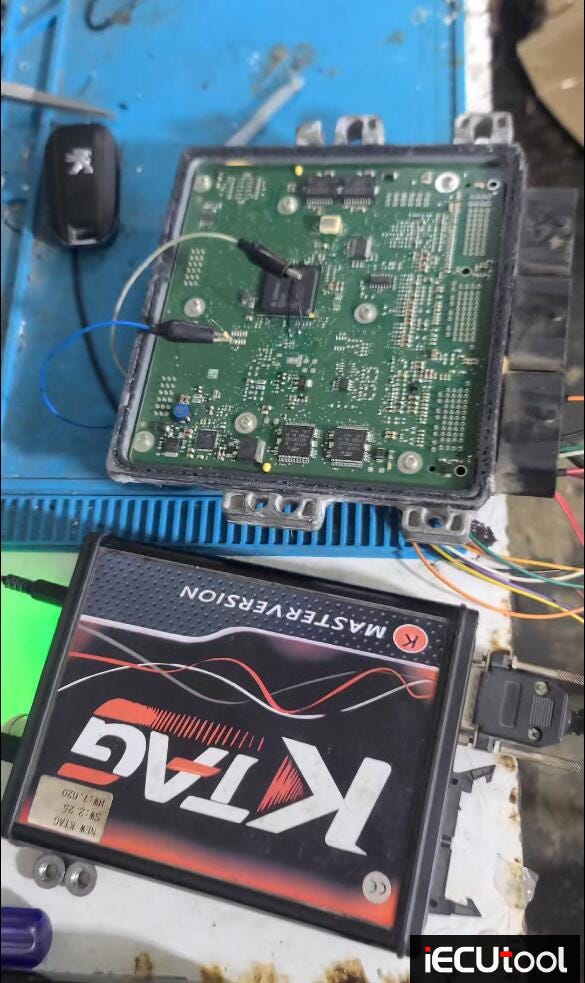
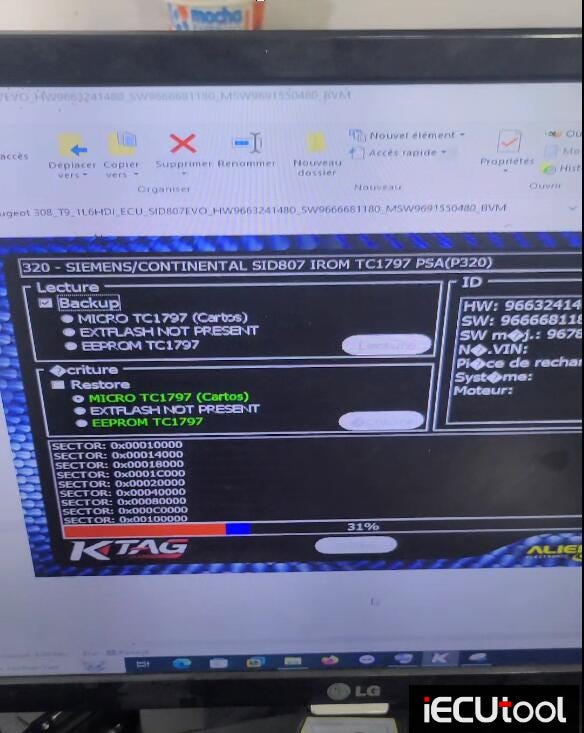
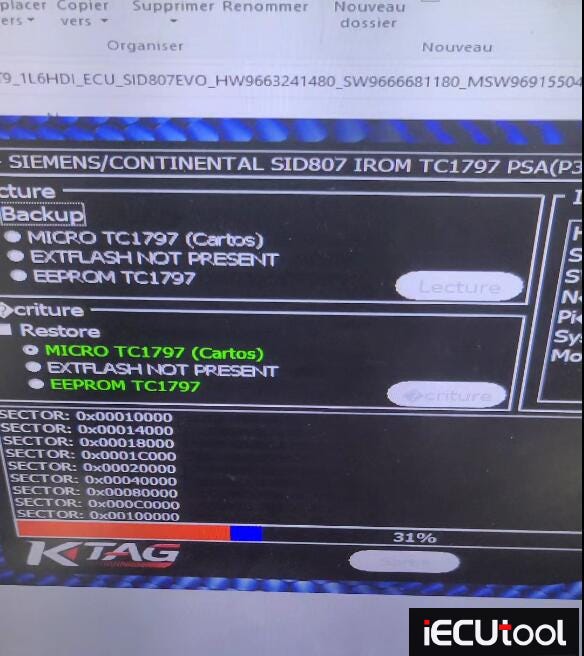
If use Foxflash, check the boot pinout here.
http://www.pcmtuner.org/psa-sid807evo-boot-pinout-to-foxflash/
Then open flash data in hex editor.
The 4-digit pin code is stored in Flash data.
BLOCK: 0xB00–0xB03.
For
example, the pin code here is YQN7.
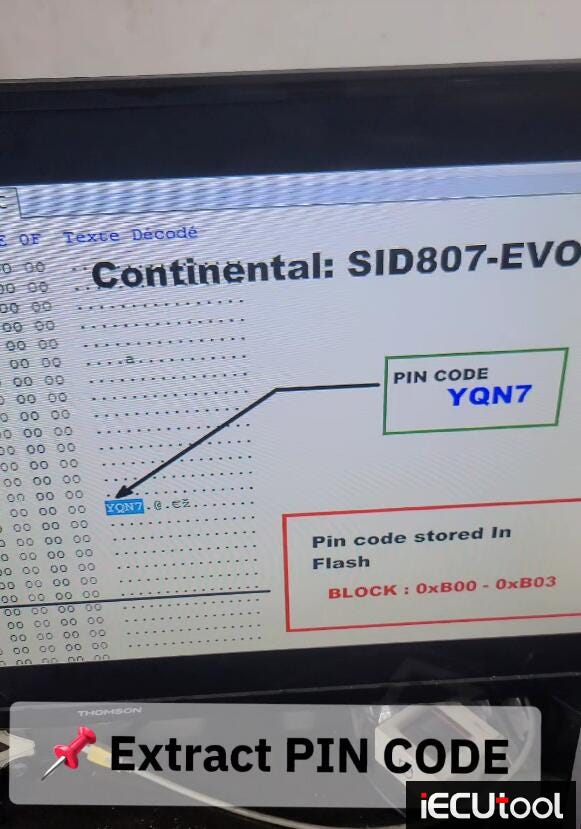
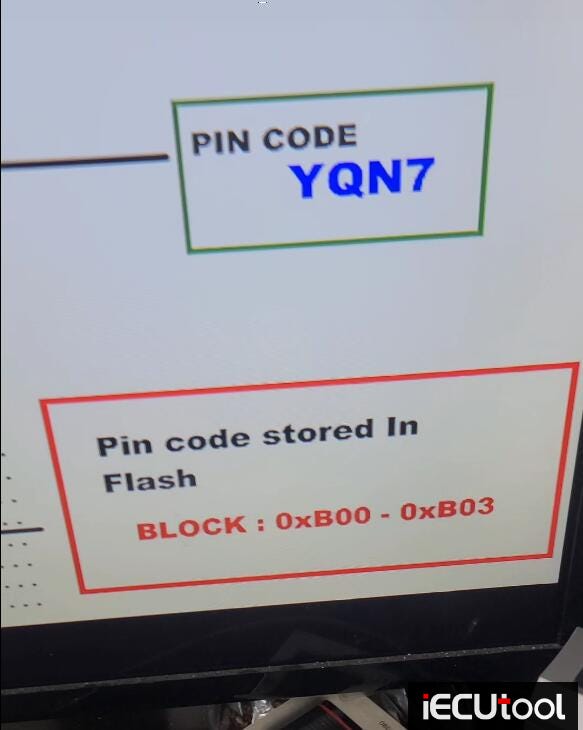
The pin code is essential for key coding, ecu replacement and immo work on PSA vehicles.
[Solution] PADFlash cannot run on Windows system
Problem 1:
Got the PADFlash programmer software installed on a Win8 64bit system, Windows detects the device driver, click Activate, but padflash software did not start. Any solution?
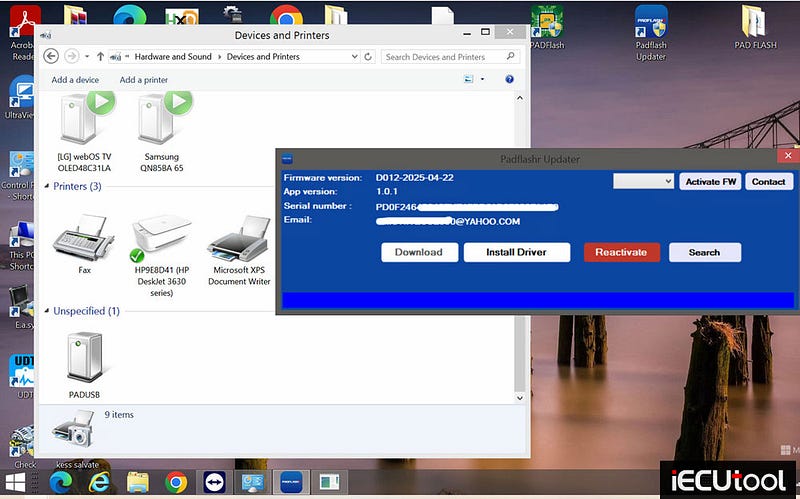
Solution:
PADFlash software cannot be installed on Windows 8 operating system.
Only Win7 64bit or Win10 64bit system. Win7 64bit is the most stable system for padflash.
Problem 2:
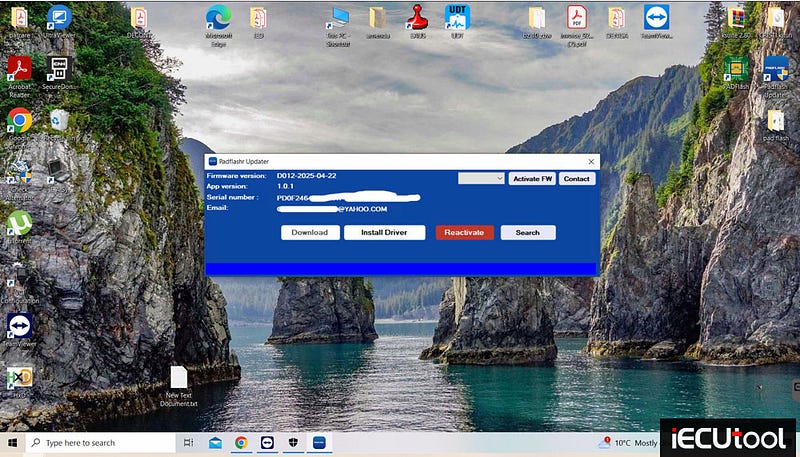
Failed to open PADFlash software after clicking "Activate" button on Windows 10 64bit system. The device driver was installed.
Solution:
Keep the PADFlash UPDATER running.
If padflash software cannot start on Win10 system, need to activate a Super Administrator Account in Windows 10.
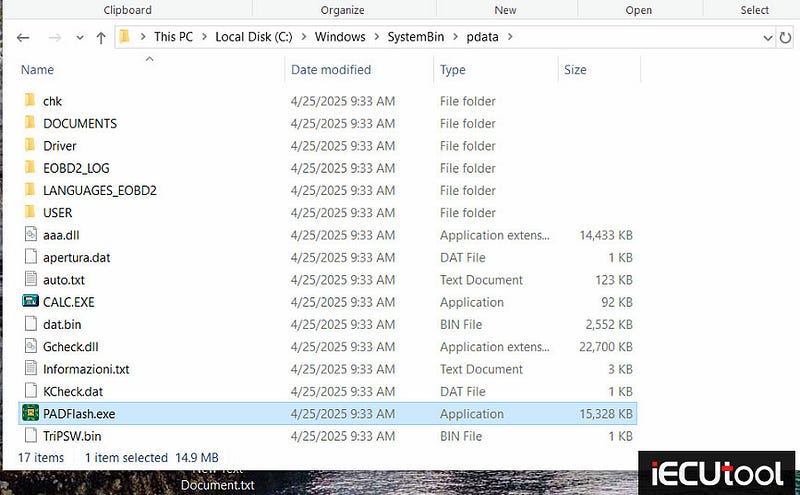
If it still is not working, go to c/windows/systembin/pdata, right click "paddlash. exe" and run the program as Administrator.
Read also:
http://www.pcmtuner.org/padflash-cannot-select-driver-all-buttons-are-gray-solution/