Launch X431 ECU Programmer for Replacing Mercedes DSM FBS4
How to replace Mercedes-Benz W212 DSM A0002703452 (FBS4) with Launch X431 ECU & TCU programmer on bench?
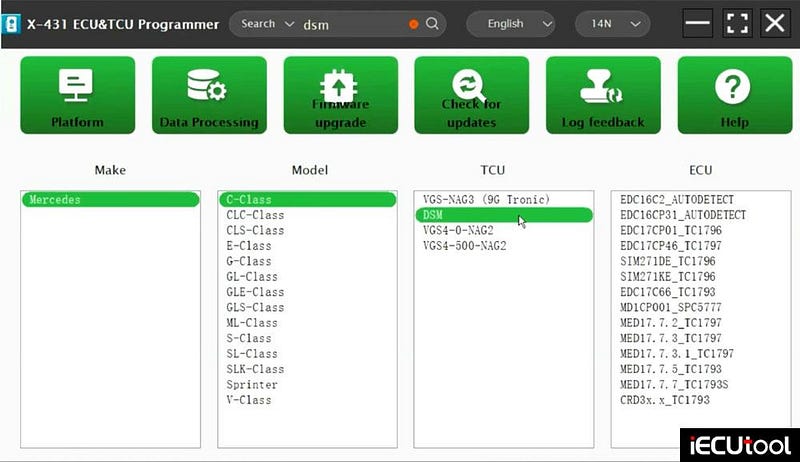
Quick search DSM, choose DSM and Bench mode.
Check wiring diagram.
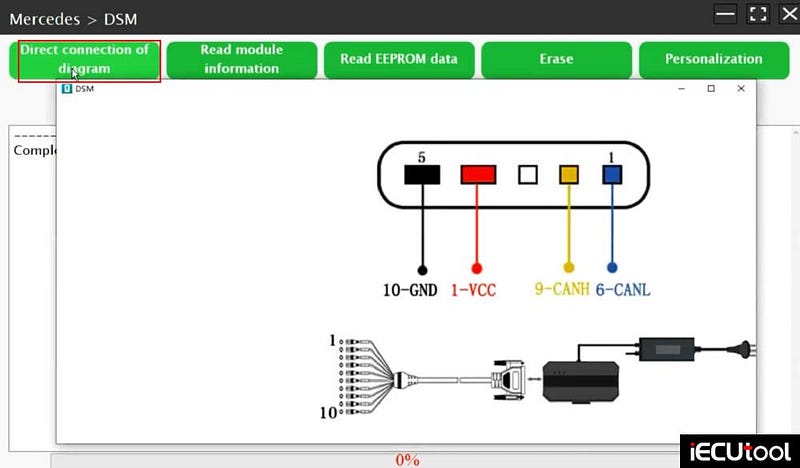
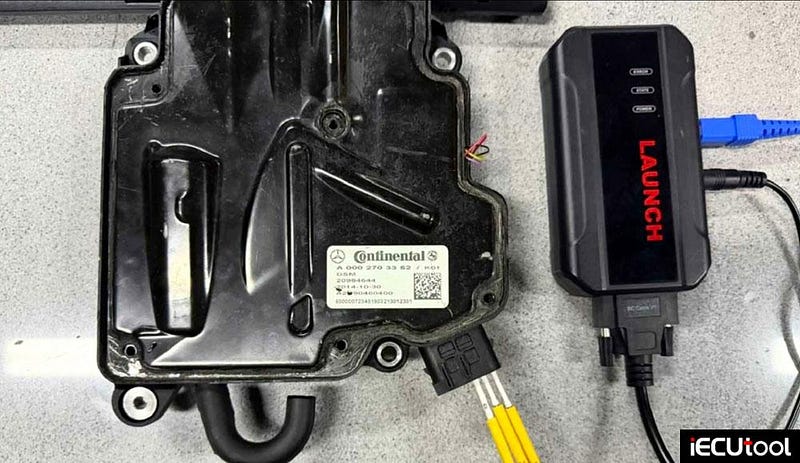
Connect DSM FBS4 with Launch X431 ECU programmer according to the diagram.
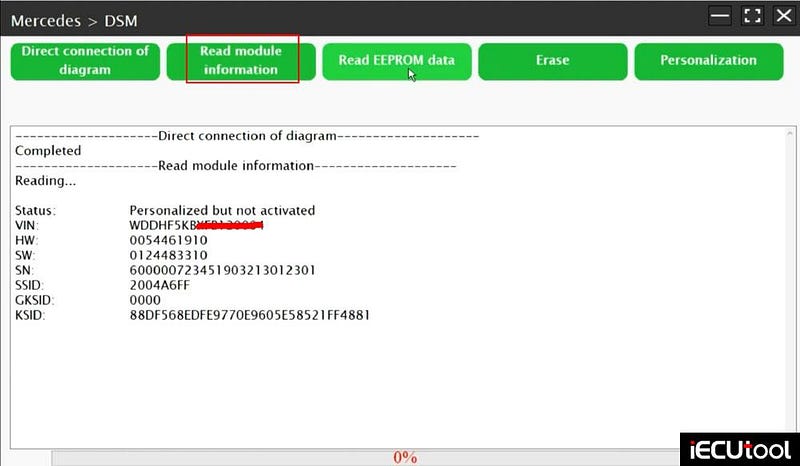
Read module information
Read EEPROM data
Read and save original data.
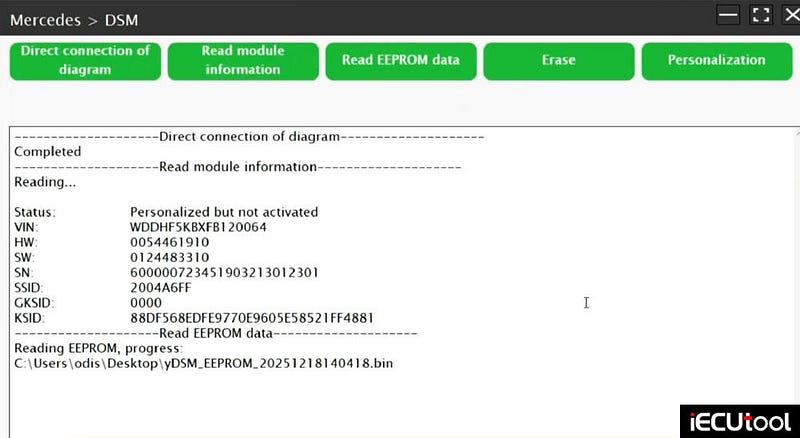
After reading data, exit directly and replace the donor Gearbox that
needs to be replaced.
Connect the donor Gearbox with Launch X431 ECU programmer.
Read module
information and read eeprom for the donor gearbox to back up data.
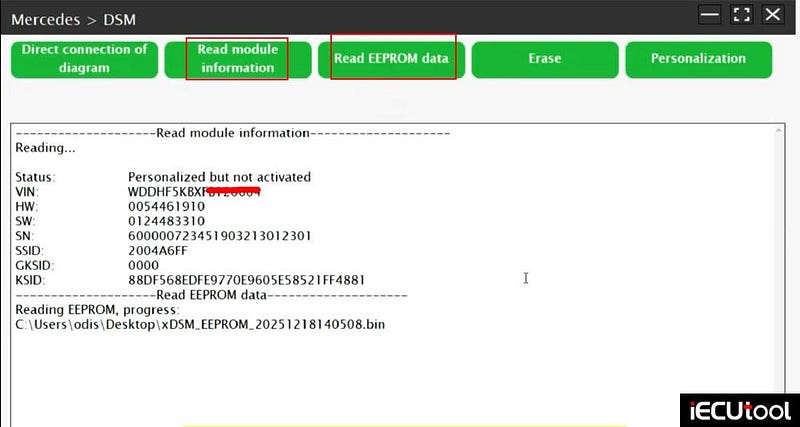
Select Personalization.
Upload the original gearbox eeprom data and personalize data.
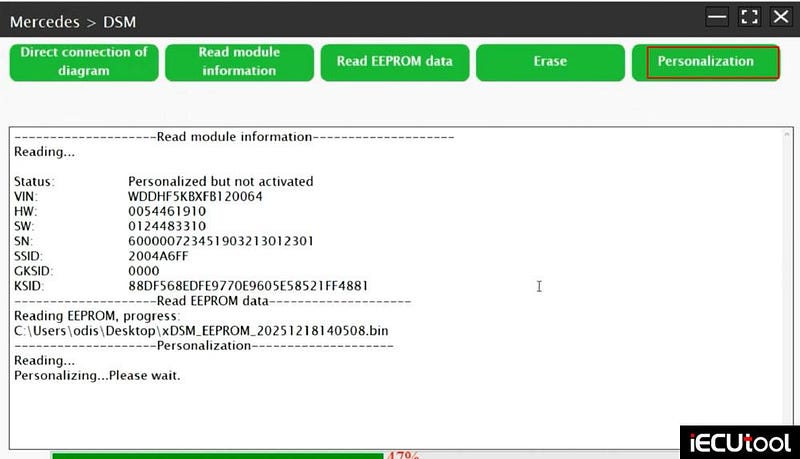
Persianization successful.
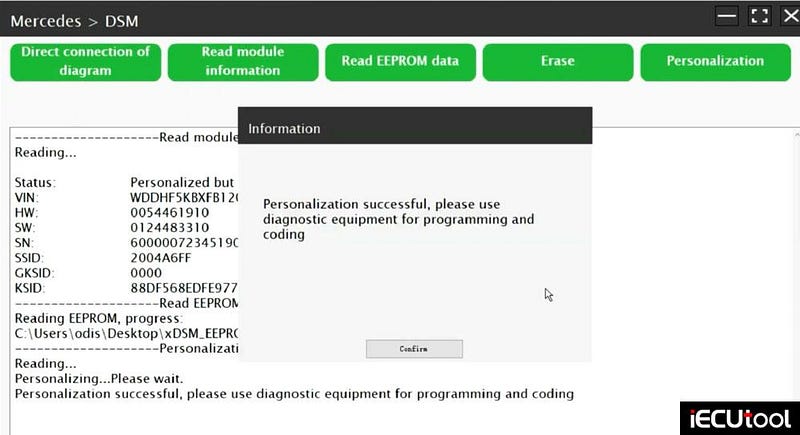
New gearbox needs to be programmed to start. Use MB star device for programming and coding.
Easy GM E80 ECM Cloning Using Launch X431 Programmer
Cloned GM ACDelco E80 ECM using Launch X431 ECU & TCU programmer successfully.
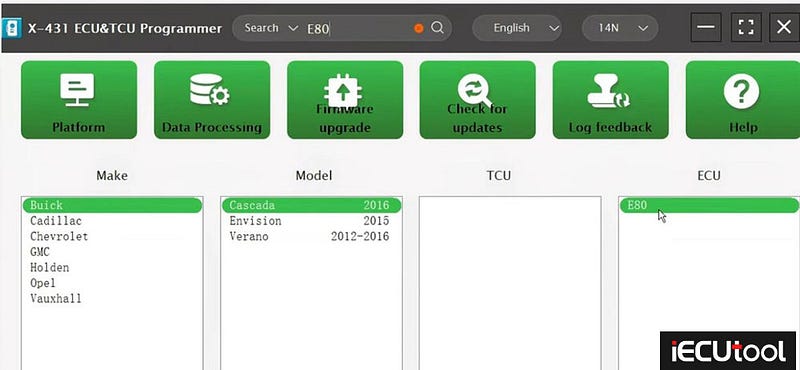
Quick search "E80" and select model/year. For example, its an E80 out of a Buick Cascada 2016.
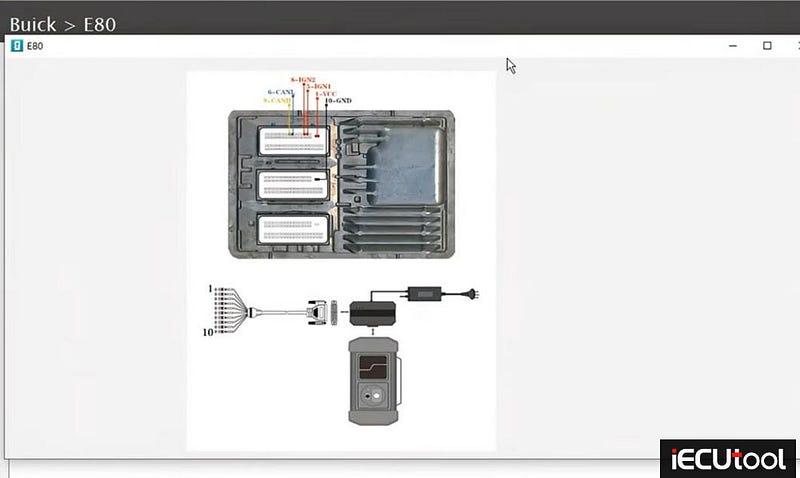
Check bench wiring diagram
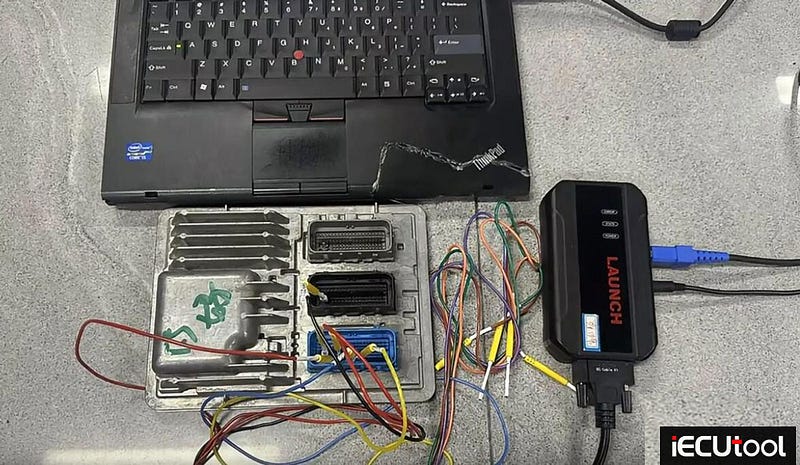
Connect Launch X431 ECU programmer with E80 ECM following the wiring diagram
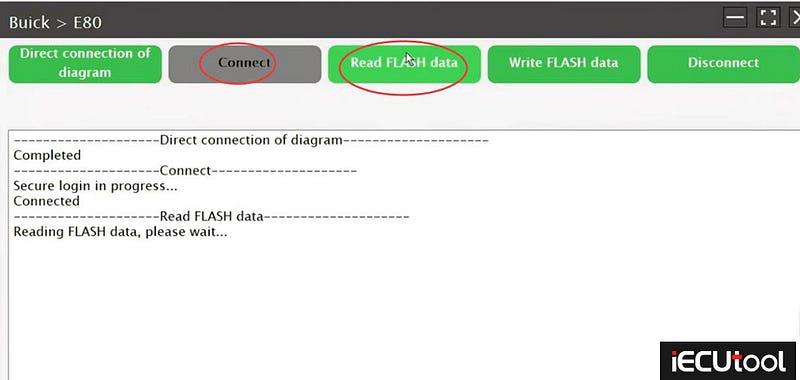
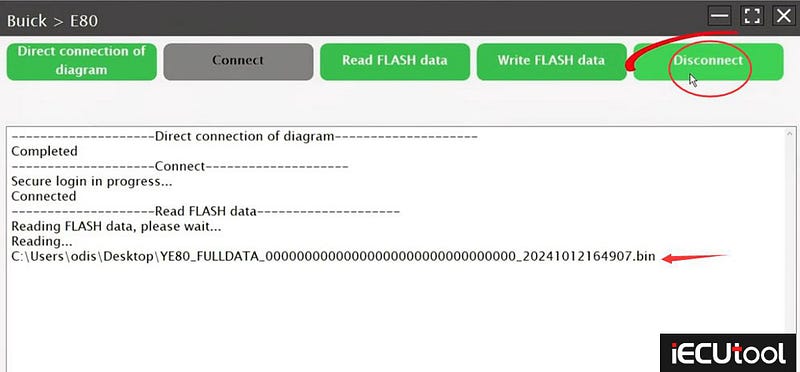
Connect ECM and read FLASH data.
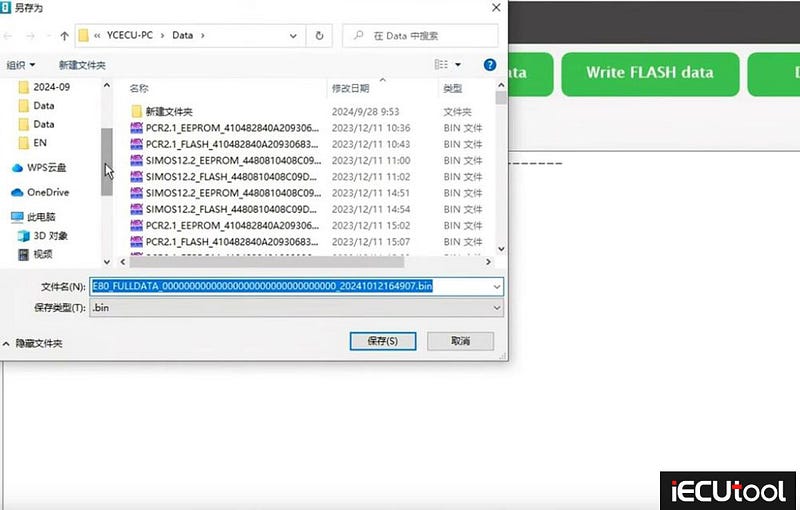
Save flash data.
Disconnect original ECM.
Connect a donor ECM with Launch x431 ecu programmer following the same wiring.
Back up donor ECM data.
Then Write original flash data to the donor ECM.
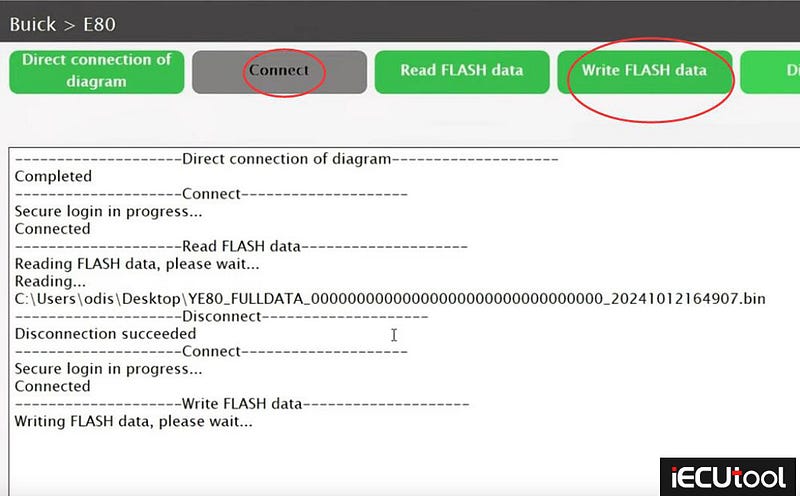
Write original flash data to the donor ECM successfully. Press Disconnect. ECM cloning is completed.
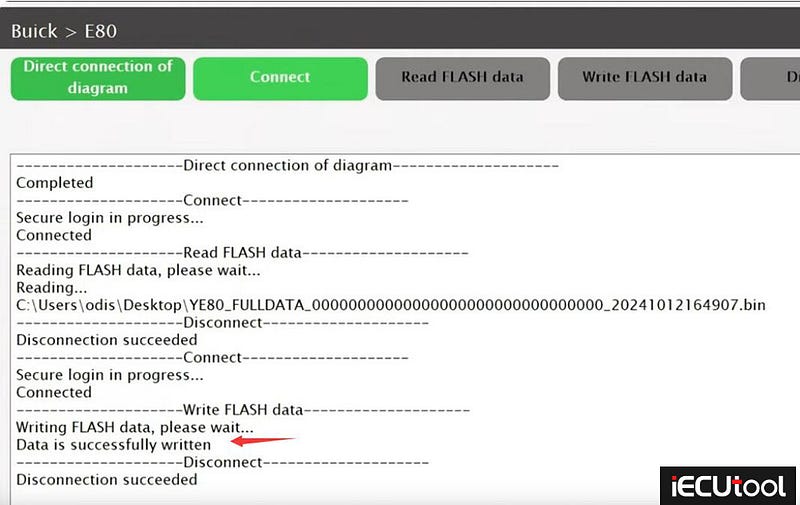
Done.